
Sales Funnel (DCT Plus) with month or annual option
What is this template and why do you need it?
This template is a complete sales funnel, the same one that I use for my DCT Plus membership funnel.
It has a bunch of steps, which I'll explain, but there is one distinct reason why you may want to use this template.
The difference in deliverables depending on what people sign up for a membership/susbcription.
If they are signing up for month to month, they get XYZ deliverables.
If they sign up for an annual subscroption, they get XYZ deliverables and ALSO additional bonuses.
How do you do that?
I'll explain in this template & guide.
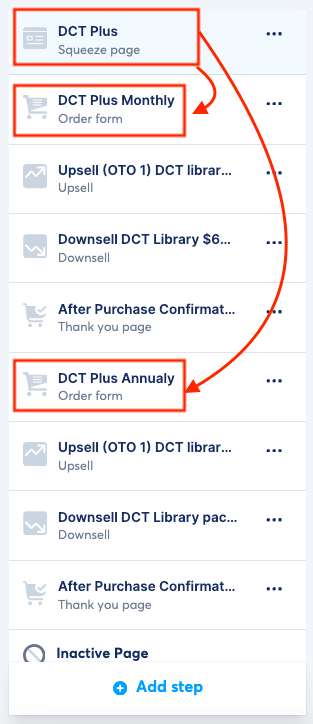
The funnel flow
The template you are getting has 9 different funnel steps.
It is critical you understand WHY.
The squeeze page (top step), is actually the SALES PAGE of your membership.
Everything you want to tell your potential customer about becoming a paying member.
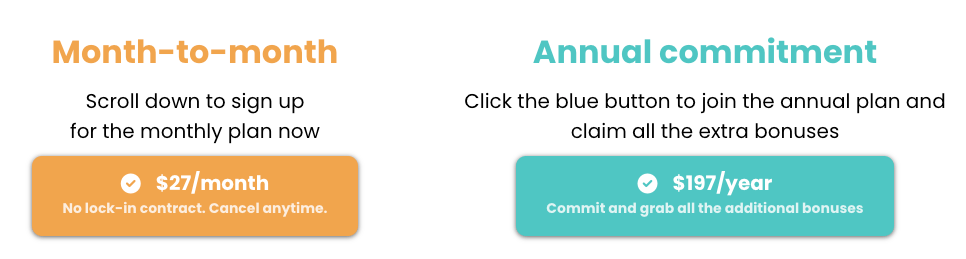
In the page, there are 2 buttons.
1 button for the monthly plan.
1 button for the annual plan.
When you click the button for each, there is an identical looking popup that shows up but the behaviour that is set up in the backend is distinctly different!
These are the 2 button options in the first step of this funnel.
When you click on either of them, you see the same-looking popup show up... (although I did it in 2 different colours to show differentiation, but you don't have to do that).
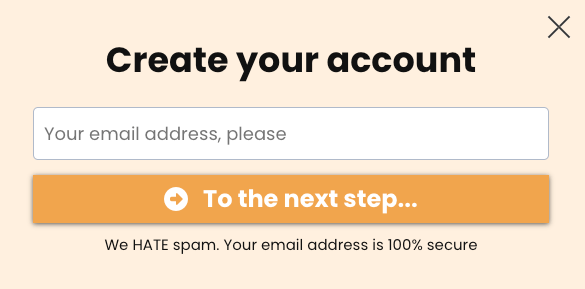
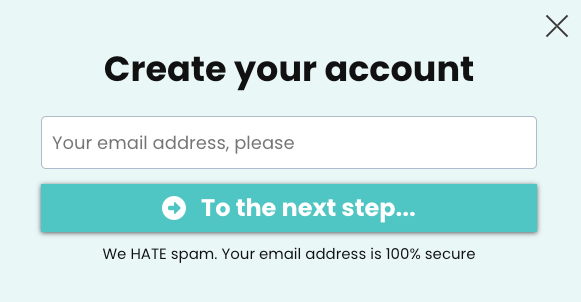
What happens on the back-end is completely different.
1 popup that asks for their email address and redirects to the monthly plan order form.
1 popup that asks for their email address and redirects to the annual plan order form.
Why do we ask for an email address first?
Because we want to follow up with a cart abandonment email campaign!
Import the funnel to your account
I am going to link the DCT Plus funnel to your account.
Note that there are 9 steps so depending on the plan you are on, you may not be able to import (i.e. it is too many steps for the free plan).
I have 1 upsell, 1 downsell, and an order confirmation page for each order form flow.
You MUST keep the order confirmation pages.
The Downsell and Upsell pages are optional.
How to set up the popup automations
I am going to give you the steps in screenshots format, and please read the instuctions inside the screenshots too!
Click on popups and create 2 popups (they should be there with my template though).
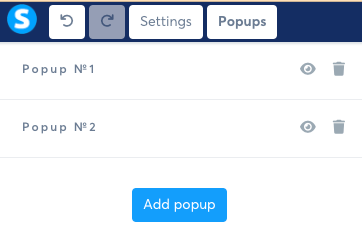
Then click on the eye button of the first one, then the second one to customized.
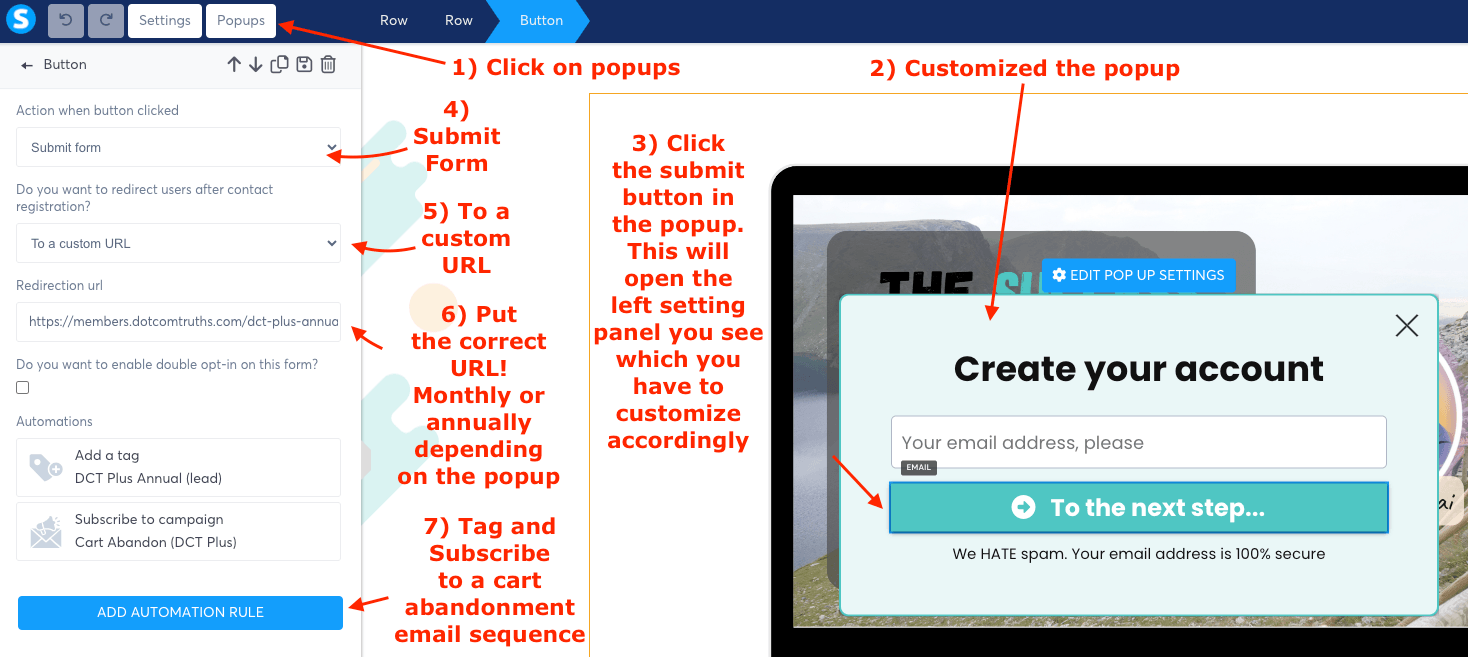
When you click on the blue button that says "ADD AUTOMATION RULE" and you add these, you should see the following visual:
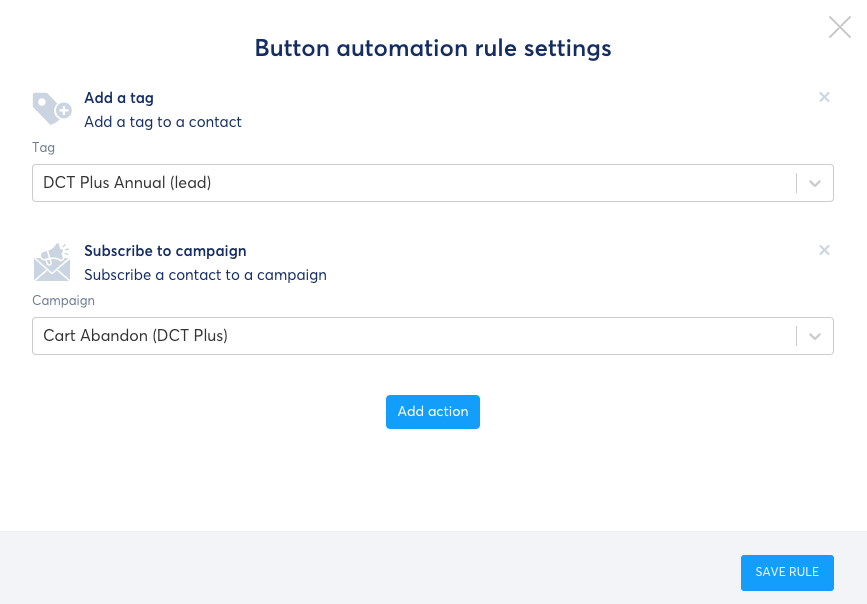
Click on the blue button "SAVE RULE".
Then you repeat the process for the second popup.
Make sure that the Custom URL (step 6) in the popups is different for each popup!
One goes to the annual order form, the other goes to the monthly order form.
You will note that I tag them differently too, that's not a must.
My cart abandonment email sequence is identical either one.
But it gives you an option to follow up differently if you wish.
What happens if they don't purchase?
If after they submit their email address, and go to the relevant order form, they don't buy - I have an email sequence that goes on for about 10 days.
They receive a daily email to sign up for the membership.
Once they do purchase, this email sequence automatically stops.
How?
See the cart abandonment email sequence template.
What happens after they buy?
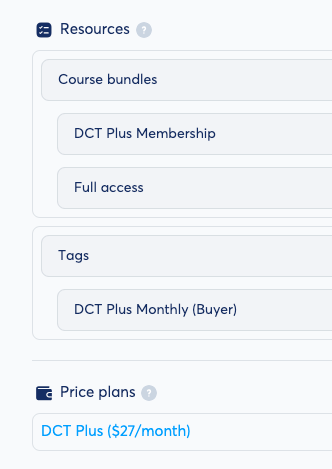
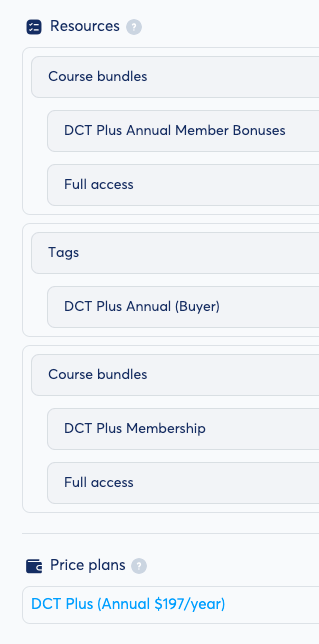
If they buy the annual plan, I have an entire suite of bonuses they get.
Here is a visual of the difference in the "Resources" automation that is set up under each order form.
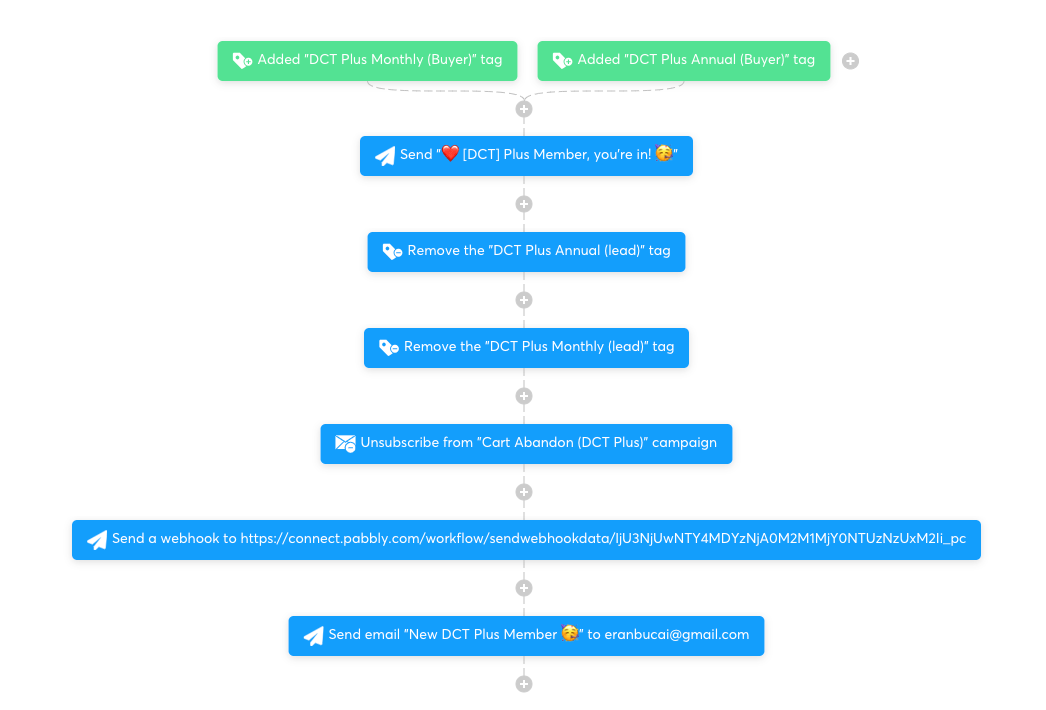
I have a workflow set up in Systeme.io that triggers once someone buys.
Doesn't matter if they buy the monthly or annual plan.
It is triggered based on the TAG ADDED.
I remove the "lead" tags of annual or monthly, I unsubscribe them from the cart abandonment email sequence, I send them a welcome email and I send myself an email letting me know someone joins. I also have an automation to add them to a google doc (not necessary for most people).
Here is a visual of what it looks like.
What happens if they cancel?
People cancel memberships/subscriptions.
So you want to set up an automation for that process.
In each order form, go to "Automation Rules", choose "Sale Cancelled" and then "Add Tag" which I call "CHURN DCT PLUS".
You will call it "Churn [name of membership]"
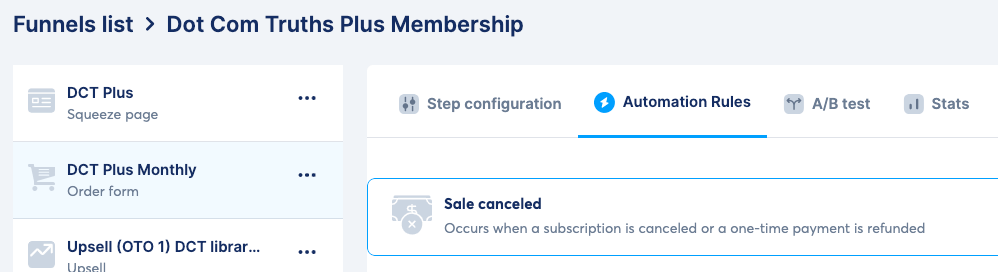
You will then set up a Churn/Offboarding workflow as explained in my "Membership Offboarding Template & Guide" (see button links below).

Hey, I'm Eran
I'm the CEO & Founder of Eran Templates (duh), since these are my templates 😉
I've worked for years to create digital assets in my business from email content, Canva slides and posts, website pages, and more.
Now is the time that I share all these creations with as many people as possible to give them a shortcut to getting things done with less time and less effort (without a hefty price tag).
This page was created for paid members only at this stage.
Please do not share it.
You are always welcome to join the affiliate program and help spread the word.
Visit: eran.link/jv