
Blog banner & SEO image templates
What is this template and why you need it?
When you are done setting up a landing page or website, you are going to be sharing the links on social media whether it is on Facebook or Messenger or WhatsApp or others.
When you do, there is social sharing information that will appear as a preview of what this link is.
Below are 2 screenshots of what it looks like on WhatsApp to give you a visual understanding of what I mean.

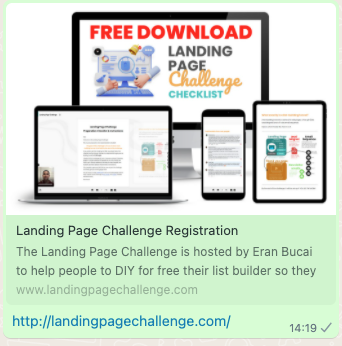
You can see the image, the title, and the description and the link.
These are SEO SETTINGS or Social sharing information.
Depending on what platform you are using it may be called something else.
But it means the same things as what I explain here.
Now, if you do not update this information, you may have default information that looks unprofessional.
For example in Systeme.io, by default it will say "Squeeze page".
Below is how it will look like without any SEO settings being updated.
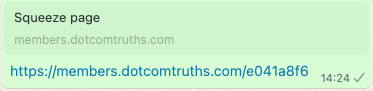
This is why it is important to update the SEO settings.
In this template, I am going to share with you a tutorial on how to edit the SEO settings in Systeme and also New Zenler, and I am going to provide you with the Canva template that I personally use to create the image.
By the way, this Canva template is optimized as the ideal size for the blog pages and posts in Systeme.io as well.
And lastly, I am going to also share with you a troubleshooting step that you need to know about (which will also show you how to set up the SEO settings in Systeme.io).
SEO Sharing Facebook Debugger
& Systeme.io SEO Settings tutorial
When you send a link to Facebook, it basically remembers the SEO settings you put in place.
So even when you change it on your website, it does NOT update automatically on Facebook or Messenger or even WhatsApp.
So you need to use a simple tool called "Facebook Debugger" to scrape the content again so Facebook remembers the updated SEO settings.
Below is a tutorial and and the link.
New Zenler SEO settings tutorial

Hey, I'm Eran
I'm the CEO & Founder of Eran Templates (duh), since these are my templates 😉
I've worked for years to create digital assets in my business from email content, Canva slides and posts, website pages, and more.
Now is the time that I share all these creations with as many people as possible to give them a shortcut to getting things done with less time and less effort (without a hefty price tag).
This page was created for paid members only at this stage.
Please do not share it.
You are always welcome to join the affiliate program and help spread the word.
Visit: eran.link/jv